How DNA lets the right agents in.
Muse, ChatGPT, and Claude now visit your site for your customers. DNA checks each one, then you decide: let it in, charge it, or keep it out.
See
Track every agent at your door.
Any program can call itself ChatGPT. DNA checks each agent against its maker’s own records, so you know who’s really shopping, reading, or copying. The real ones get a green check.

Choose
Let the right ones in.
Say who gets in, who pays, and who stays out. Write the rule yourself, or tell us in plain words and we set it up on your site.
EarnEarly access
Get paid when agents visit.
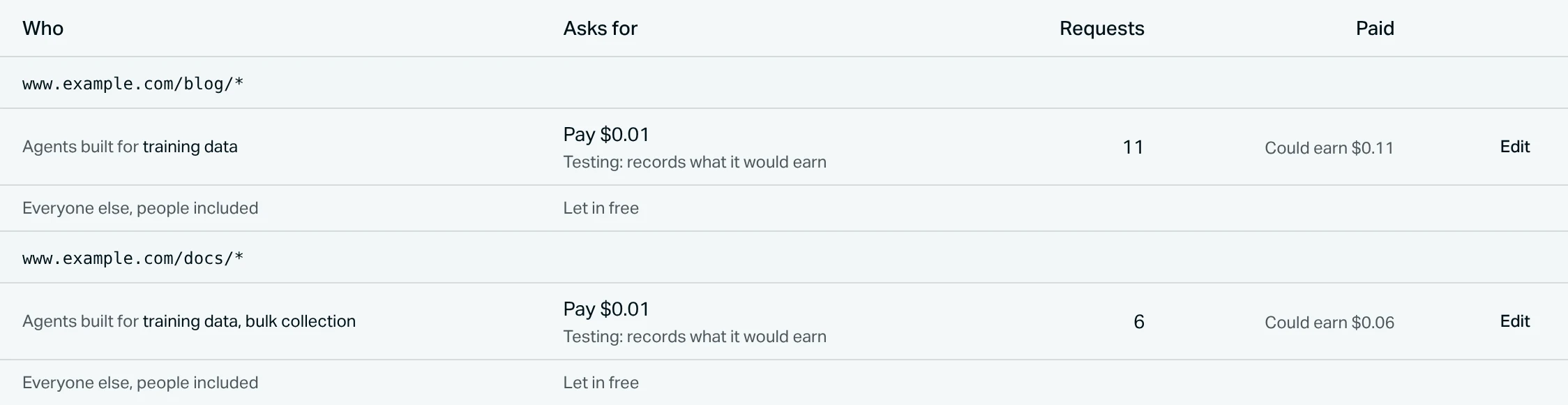
Put a price on the pages AI agents take without sending anyone back. Every new price starts as a test, so you see what it would have earned before anyone pays.
For content sites
Charge AI crawlers per page, at your price.
For stores
AI shoppers check out on the checkout you already use.
- 1Pick the pagesChoose pages like /products/* or /blog/*, set a price per page, and decide who pays: every AI agent, only some, or everyone, like a paywall.
- 2Watch the testDNA logs what each visit would have paid. Nobody is charged.
- 3Start chargingSwitch it on when the number looks worth it. Agents pay by card or crypto, then get the page.
Connect
Setup in ten minutes.
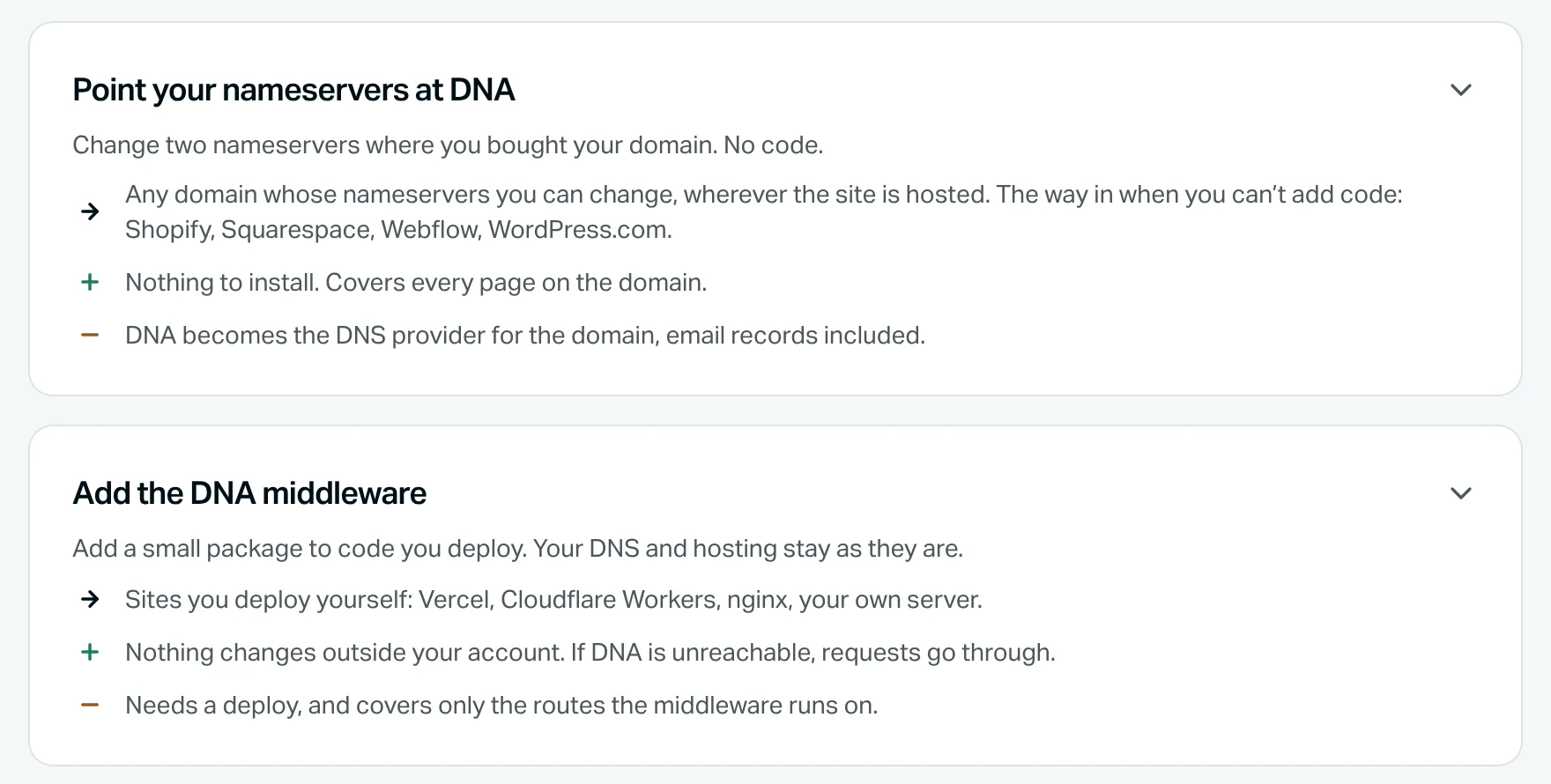
Most sites point their domain at DNA, with no code. If you build and deploy your own site, add a small package instead. Either one comes off as easily as it goes on.
Need help? Book a short call